


3 min read
Starting FAQs on Commercial Broadcast AV Installation
Monty Champoux
Jul 24, 2026, 1:48:00 PM
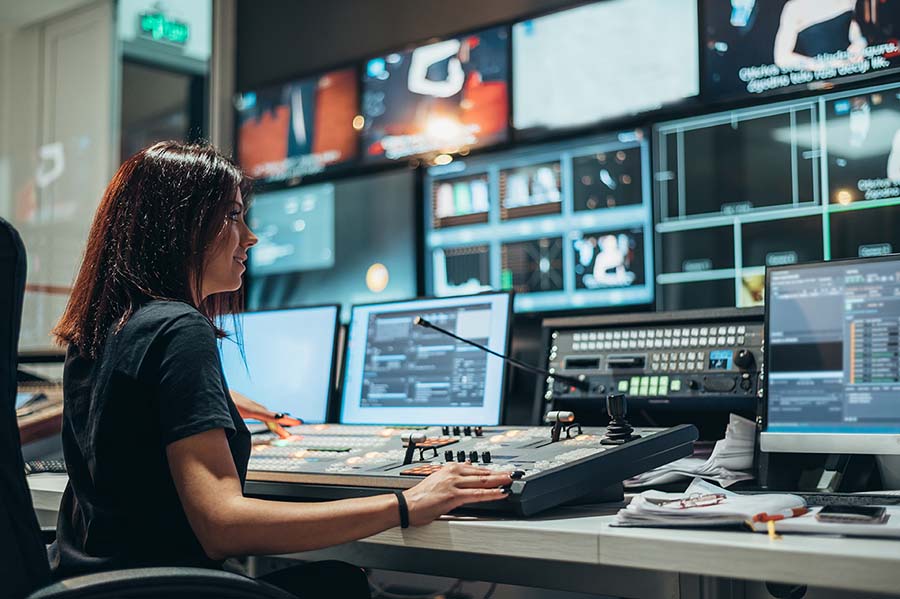
Commercial broadcast AV gives organizations more control over how live and recorded communications are produced, managed and distributed. Unlike a standard meeting-room system, broadcast AV is built around the finished audience experience, including camera coverage, audio mixing, lighting, graphics, recording and content delivery.
The answers below provide a starting point for enterprise IT, marketing, communications and facilities teams planning a broadcast AV environment.
What’s included in a commercial broadcast AV installation?
A commercial broadcast AV installation typically includes cameras, professional audio, lighting, production switching, graphics, recording, streaming and system control. It may also include a control room, operator workstations, room presets, monitoring and integrations with platforms such as Microsoft Teams or Zoom.
The exact scope should be based on the content being produced, the audience, the operating team and the level of reliability required.
What’s the difference between standard AV and broadcast AV for commercial use?
Standard commercial AV is usually designed to support meetings and collaboration. Broadcast AV is designed to produce a finished program for an audience.
A conference room may rely on one camera, automated audio and a conferencing platform. A broadcast system may use multiple camera angles, dedicated microphone channels, graphics, video switching, lighting controls, recording and distribution to several destinations.
The difference is less about room size than the level of production control required.
When does an enterprise need broadcast AV?
Broadcast AV becomes appropriate when the quality, visibility or reach of a communication exceeds what a standard meeting system can reliably support.
Common triggers include executive town halls, product launches, investor communications, company-wide training, customer events and recurring branded video production. It may also be necessary when content must be recorded, reused or delivered to multiple platforms.
Does every broadcast AV system need a control room?
No. A control room is useful when productions involve multiple cameras, audio sources, graphics, remote contributors or distribution channels. Smaller systems may be operated from an in-room production station or a simplified touch-panel interface.
The decision should be based on the production workflow and the people operating the system—not on the assumption that every broadcast environment needs the same layout.
Can an auditorium or training room support broadcast AV?
Yes. Broadcast capabilities can be added to auditoriums, training centers, executive briefing centers and multipurpose rooms.
These spaces may combine large-format displays, stage audio, multiple cameras, lighting, recording and streaming while continuing to support everyday presentations and in-person events. The design must account for both the people in the room and the remote audience.
What should IT teams consider when planning broadcast AV?
IT should evaluate network capacity, security, device management, streaming access, platform integration, recording storage and remote support.
Broadcast systems often move more video and audio across the network than standard meeting systems. IT should also determine who will administer the system, who can access production tools and how issues will be escalated during a live event.
What should marketing and communications teams define before system design begins?
Marketing and communications teams should define the content formats they plan to produce, the audiences they need to reach and the visual standard expected of the finished program.
They should also identify how often the system will be used, whether content will be live or recorded, how remote presenters will participate and who will operate each production. These decisions have a direct impact on cameras, lighting, graphics, recording and control.
What should facilities teams consider?
Facilities teams should plan for camera sightlines, lighting positions, acoustics, HVAC noise, equipment cooling, rack locations, cable pathways, electrical capacity and service access.
These decisions become difficult and expensive to change once construction is underway. Early coordination between facilities, IT, communications and the AV integrator can prevent the room itself from limiting the final production.
Can commercial broadcast AV integrate with Microsoft Teams and Zoom?
Yes. A broadcast system can send a produced program feed into Microsoft Teams, Zoom or another enterprise platform.
Instead of sending a single camera and microphone feed, the system can combine multiple cameras, presentations, graphics, video playback and mixed audio. Remote participants can also be brought into the production and included in the outgoing program.
How can broadcast AV be made easier to operate?
Ease of use comes from designing the system around a limited number of repeatable production workflows.
Presets can recall camera positions, microphone settings, lighting scenes and content routes for common events. More complex productions may still require a trained operator, particularly when live switching, audio mixing or unexpected changes are involved.
How should a broadcast AV system be supported after installation?
Support may include preventive maintenance, remote monitoring, software and firmware management, operator training, event preparation and on-site production assistance.
The appropriate support model depends on the frequency and visibility of the organization’s broadcasts. A room used for occasional training has different support requirements from a studio used weekly for executive communications.
When should an AV integrator become involved?
An AV integrator should be involved before architectural plans, room layouts and infrastructure decisions are finalized.
Early involvement allows cameras, lighting, acoustics, power, network capacity, equipment locations and operator workflows to be planned together. Bringing the AV team in late often reduces options and increases the cost of correcting avoidable issues.